
Eligible Kartra subscribers can postpone their next subscription payment by up to 14 days from their upcoming rebill date.
This feature is available for monthly and annual subscriptions that have at least three successful payments on the current subscription.
Key details
- Available for monthly and annual subscriptions with at least three successful payments on the current subscription.
- Rebill dates can be postponed by up to 14 days from the upcoming rebill date.
- Rebill date changes apply only to the next invoice.
- After the invoice is paid, the subscription returns to its original billing schedule.
- Only one rebill date change is permitted per billing cycle.
- Once a rebill date change is submitted, additional changes cannot be made until the invoice is paid.
Change your next rebill date
In your Kartra account:
- Click the Profile avatar in the top right corner of the dashboard
- Select Billing from the dropdown menu
- Locate the Next bill date section
- Click Change rebill date
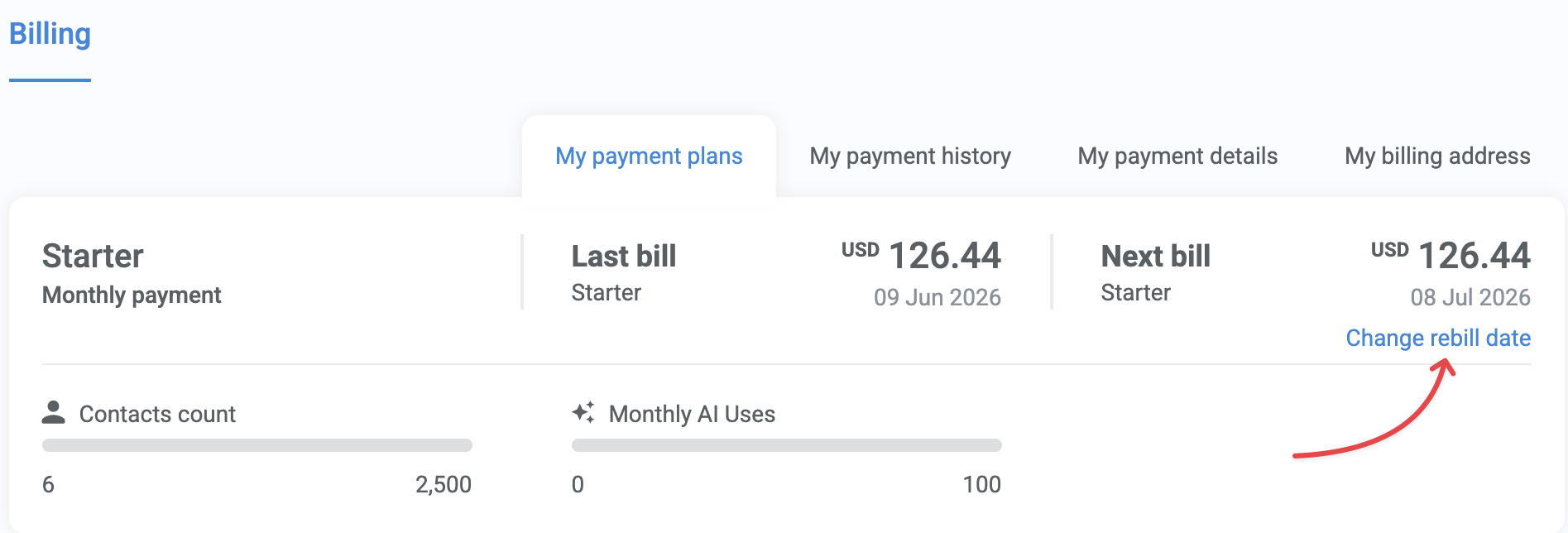
- Select a new rebill date from the calendar. Available dates begin with your upcoming rebill date and extend up to 14 days into the future.
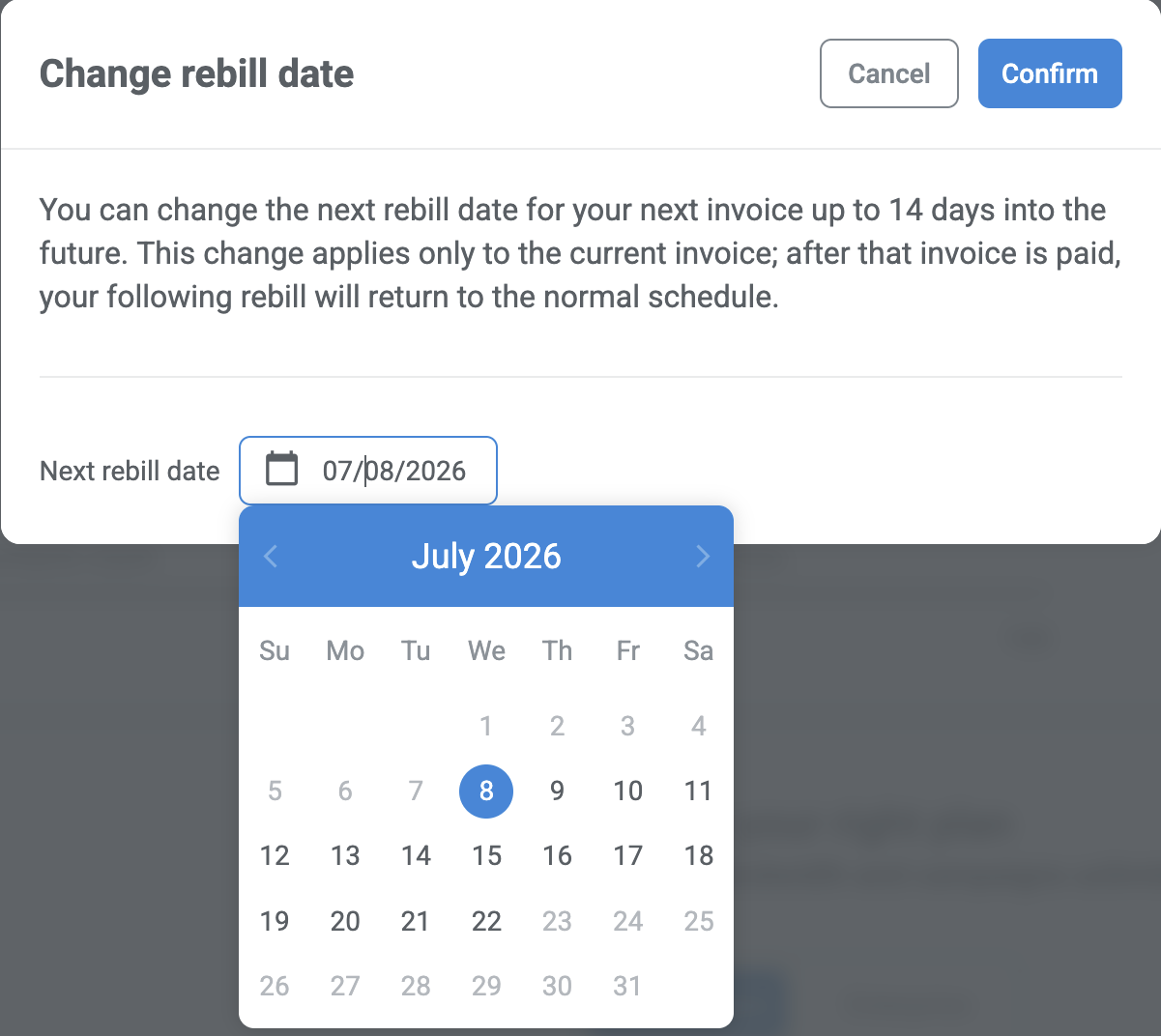
- Confirm your selection
Your next invoice will be charged on the date you selected.
Why is the change rebill date option not available?
The Change rebill date option is only available when:
- Your current subscription has at least three successful payments.
- You have not already changed the rebill date during the current billing cycle.
If you have already changed the rebill date, the option becomes available again after the invoice is successfully paid.