
Learn how cart abandonment tagging works, when tags are applied, and how to set it up for your products.
Cart abandonment tagging helps you identify people who begin the checkout process but don’t finish it. When someone visits your checkout and does not complete the payment within 60 minutes, Kartra assigns a tag of your choice to their contact profile. You can then use this tag to trigger a follow-up sequence to encourage them to complete their purchase.
Key details
- One hour delay: Kartra applies the cart abandonment tag 60 minutes after the visitor lands on your checkout page or form, as long as the purchase is not completed within that time.
- Contact profile requirement: A tag can only be applied to someone who exists as a lead or contact in your account.
- Legacy checkout setup: Cart abandonment tagging is configured in the Legacy checkout tab of your product settings, and it applies to any standalone Checkout associated with your product too.
How to turn on cart abandonment tagging
- Open Sales > Products and click on the product's name to edit.
- Go to the Legacy checkout tab.

- Scroll down to Cart abandonment tagging and click Change.
- Select Yes, tag them if they leave.
- Choose the tag(s) you want to assign. You can assign different tags for each price point.

- Click Add, then Save.
Once enabled, Kartra will automatically apply the selected tag to any contact who visits the checkout but does not complete the purchase within 60 minutes.
Recommended checkout templates
Templates that collect contact information early give you the highest chance of capturing abandonment:
- Kartra hosted checkout page: Checkout summary & step-by-step payment details

- Pop-up or embedded checkout templates: Multi-step checkout flow (Collect billing info first)
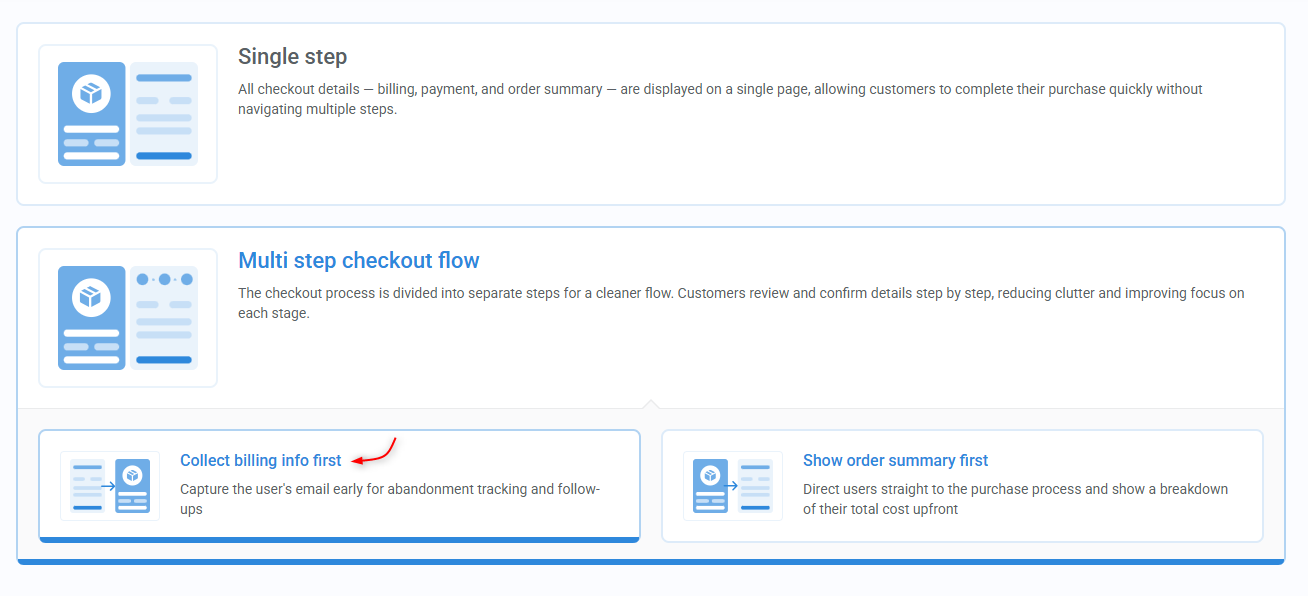
These templates encourage visitors to submit their name and email before reaching the payment step, allowing Kartra to create a contact profile even if they don’t buy.
Using the tag in your automations
After you turn on cart abandonment tagging, you can use the assigned tag as the trigger for your follow-up sequence. This may include reminders, helpful information, or an invitation to return and complete the purchase.
While this strategy doesn’t guarantee more sales, it does increase your chances by reconnecting with people who have already shown interest.
- Learn more about tagging cart abandonment.