
Learn how to assign tags at key moments in your videos so you can understand viewer interest, trigger follow-ups, and personalize what happens next.
This article is for you if you’d like to:
- See how engaged viewers are with your video content
- Segment contacts based on interest or intent
- Trigger automations, emails, or follow-up actions automatically
- Identify where viewers stay engaged or drop off
Because video tags are applied automatically, they let you respond to viewer behavior in real time, without manual tracking.
Key details
- Known contacts only: Video-related tags are applied only to known contacts in your Kartra account. Anonymous visitors can’t receive tags because there’s no contact profile to attach them to.
- Multiple tags: You can apply multiple tags within the same video, at different points, to track different levels of engagement.
- Kartra-hosted: Video-related tagging works only with videos uploaded and hosted in Kartra.
How to configure video tagging
Video tagging is configured inside the video’s setup wizard.
To access it:
- Go to Media center > Videos in your Kartra account.
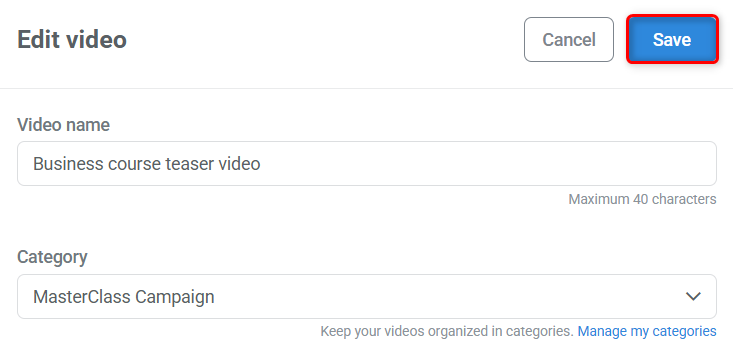
- Edit your video and click Save on the initial window to open the video wizard.
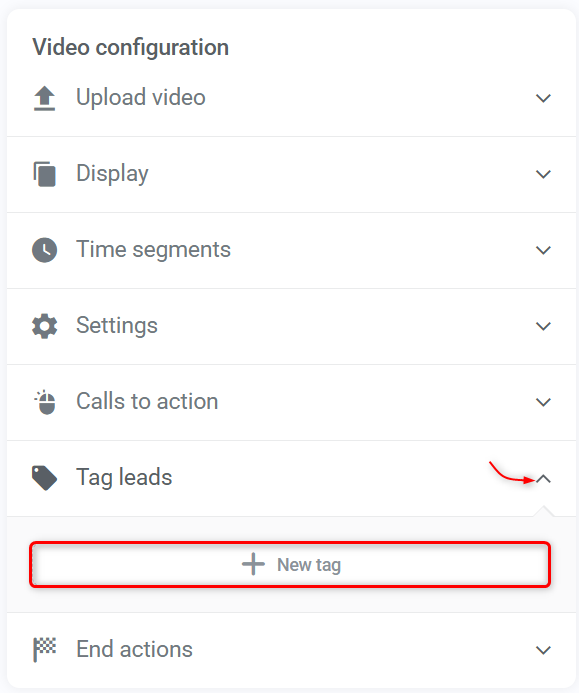
- Expand Tag leads and click + New tag.
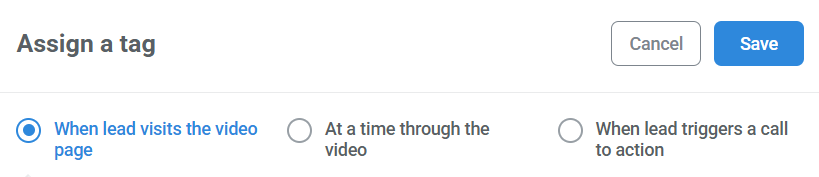
- Choose the type of tag(s) you want to add.
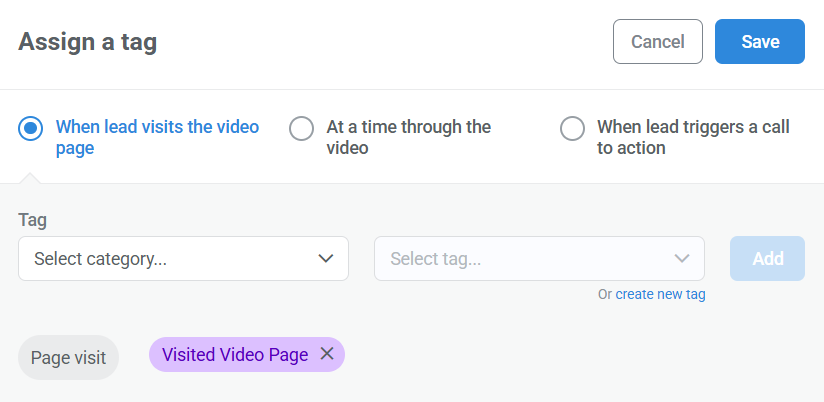
- Select the tag(s) you’d like to apply, then Save.
Types of video tags and when to use them
You can configure video-related tags to be applied in three main situations:
- When a lead visits a video
- At specific times in a video
- When a lead triggers a call to action (CTA)
Each option supports a different goal, depending on what kind of behavior you want to track.
When lead visits the video page
This tag is applied as soon as a known contact lands on a page where the video is embedded, even if they never press play.
Best used to:
- Track interest in a topic or offer
- Identify contacts who reached a sales or explainer page
- Trigger light follow-ups like reminders or introductory emails
How it works: Simply select the tag you want to apply. No additional settings are required.
At specific times in a video
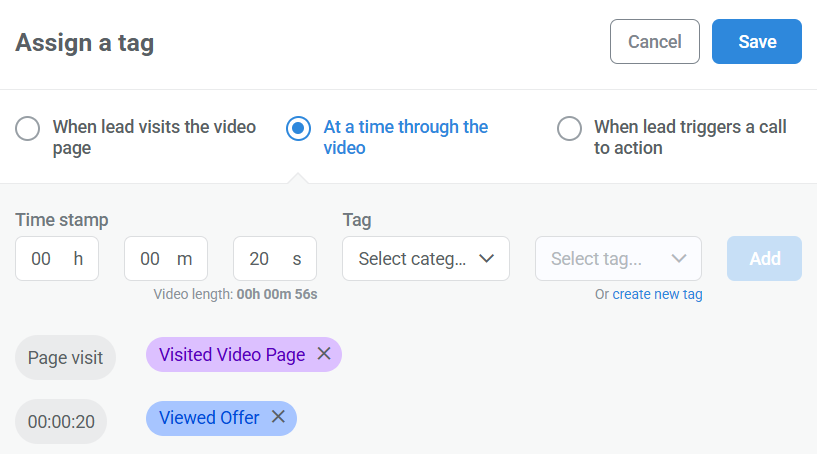
Timestamp-based tags are applied when a viewer reaches a specific point in the video, such as 20 seconds, halfway through, or near the end.
Best used to:
- Measure how much of your video someone actually watched
- Identify highly engaged viewers
- Trigger different actions based on watch depth (for example, early viewers vs. finishers)
You can set timestamps using hours, minutes, and seconds. The tool also shows the total length of your video to help you choose meaningful points. In the example above, the video introduces an offer at the 20-second mark, making that a useful moment to track viewer interest.
When a lead triggers a call to action
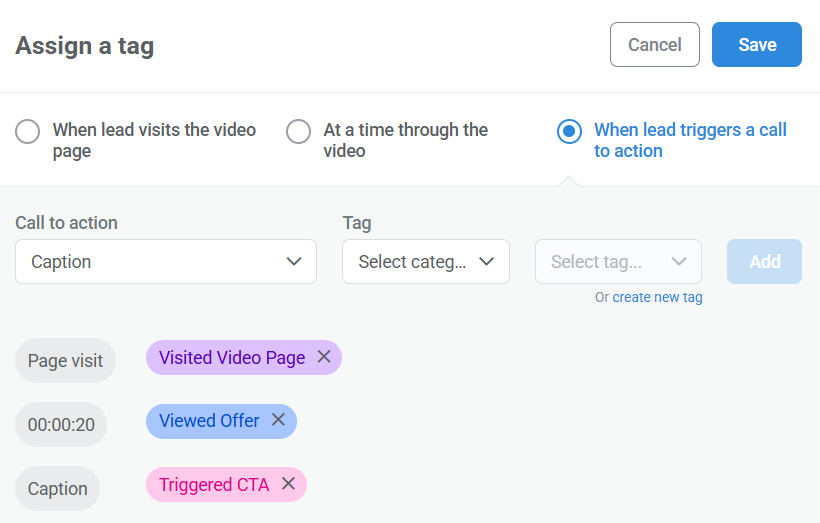
Tags can also be applied when a viewer clicks a call-to-action (CTA) displayed inside the video.
Best used to:
- Identify high-intent viewers
- Track clicks on offers, registrations, or next steps
- Trigger immediate follow-ups or automation paths
CTAs are a separate feature of Kartra videos and are covered in detail in their own article. Video-related tags allow you to capture those clicks and use them elsewhere in your account. Learn more about adding CTAs to your videos.
Pro tip
When setting up your tags, focus on moments that signal real interest or intent. This makes your automations clear and your engagement data easy to interpret.