
Learn how Kartra can automatically configure DKIM for your sending domain, no manual DNS edits required.
If your domain provider supports automatic configuration, Kartra will create the DKIM records needed to authenticate your emails. This is the easiest way to set up authentication.
If your domain was purchased directly inside Kartra (IONOS), DKIM is already handled for you and will appear automatically under Settings > Domains > DKIM.
How automatic DKIM setup works
When you add a domain hosted by a supported provider, Kartra can automatically complete the configuration for you.
This means:
- DKIM is created automatically
- SPF is handled for you if you use KartraMail
- No manual DNS work is required
- You can send authenticated email from Kartra as soon as setup completes
If automatic setup is available for your provider, you will see the Automatic configuration option during DKIM setup.
If you want to use the same domain for your Kartra page URLs, it's best to follow the automatic domain integration process instead. This connects your domain and creates its DKIM records at the same time.
Set up DKIM automatically
Follow these steps:
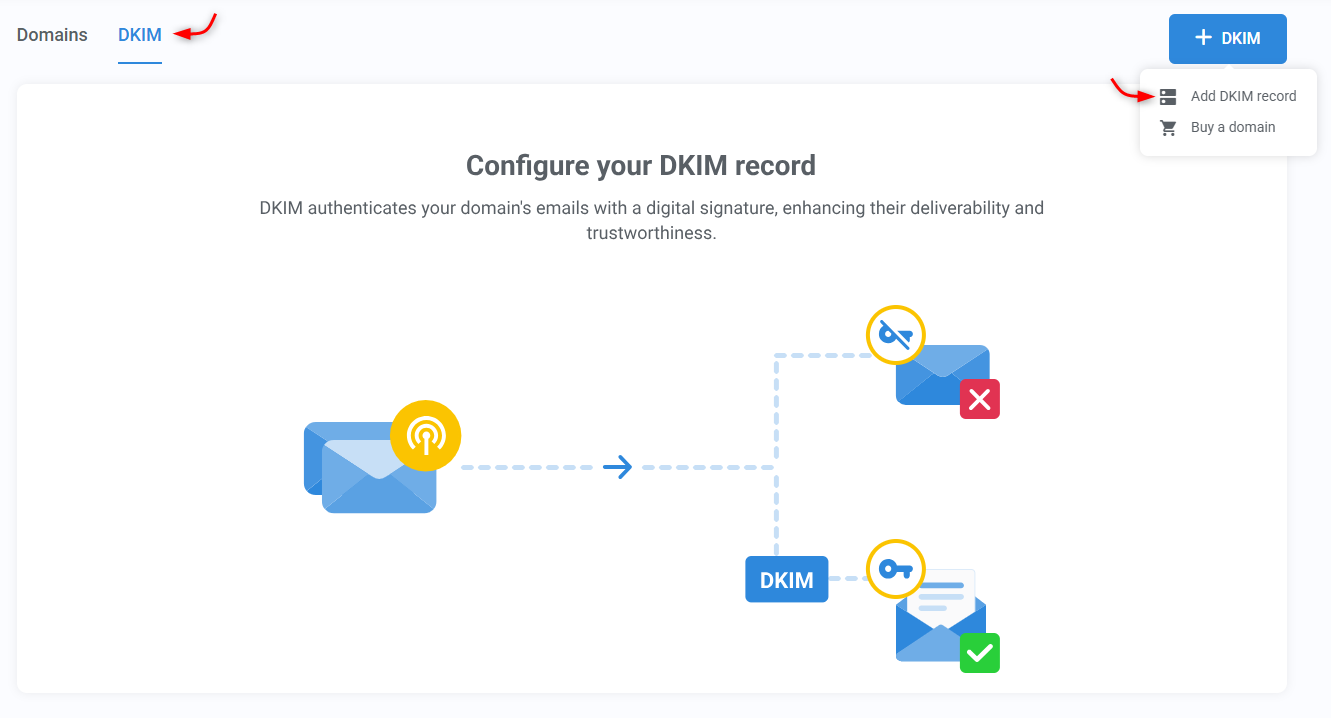
- Go to Settings > Domains > DKIM, then click + DKIM, and choose Add DKIM record.
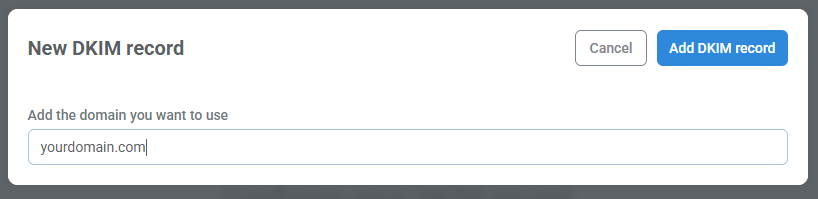
- Enter the domain you will use to send email (example: yourdomain.com).
- If your domain provider is supported, you will see the Automatic configuration option. (If it is not supported, the automatic option is grayed out.)
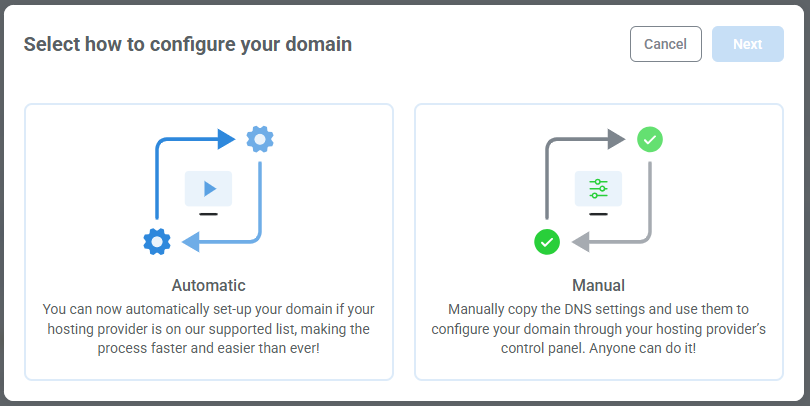
- Select Automatic and click Finish.
- Kartra will create the DKIM records for you and begin validation.
Next, you can add a DMARC record for reporting and additional protection (optional, but recommended).
When automatic setup is unavailable
If your hosting provider does not support automatic DKIM configuration:
- The automatic option will be grayed out
- Select Manual to continue setting up the connection yourself
- Kartra will show the DKIM DNS values you’ll need to add manually
- You will complete the setup using your domain host’s DNS settings
Learn how to set up DKIM manually.