
Purchase a domain from within your Kartra account to use with your email address. Setup is fully completed automatically.
You can purchase a new domain directly from the DKIM setup screen in your Kartra account. When you buy a domain this way, Kartra automatically creates the DKIM authentication needed to send email from that domain, with no manual DNS setup required.
This is the fastest way to get a domain ready for email sending.
If you already own a domain with another provider, you cannot purchase it again through Kartra. This option is for new domain registrations only.
Purchasing a domain from the DKIM page will only set up DKIM authentication. It does not connect the domain for use with pages, checkouts, or other Kartra assets.
If you want to also use the domain for your pages, consider purchasing your domain directly through the Domains page.
How to buy a domain for DKIM in Kartra
Before you begin
Kartra provides outgoing email capabilities, but does not offer mailbox hosting. If you need an inbox for your new domain (e.g., info@yourdomain.com), you can:
- Purchase mailbox hosting from IONOS during checkout, or
- Use another provider such as Google Workspace, Microsoft 365, Zoho, or any other service that supports custom domains
Mailbox hosting is optional and independent from DKIM authentication.
- Go to Settings > Domains > DKIM in your Kartra account.
- Click the + DKIM button, and select Buy a domain.
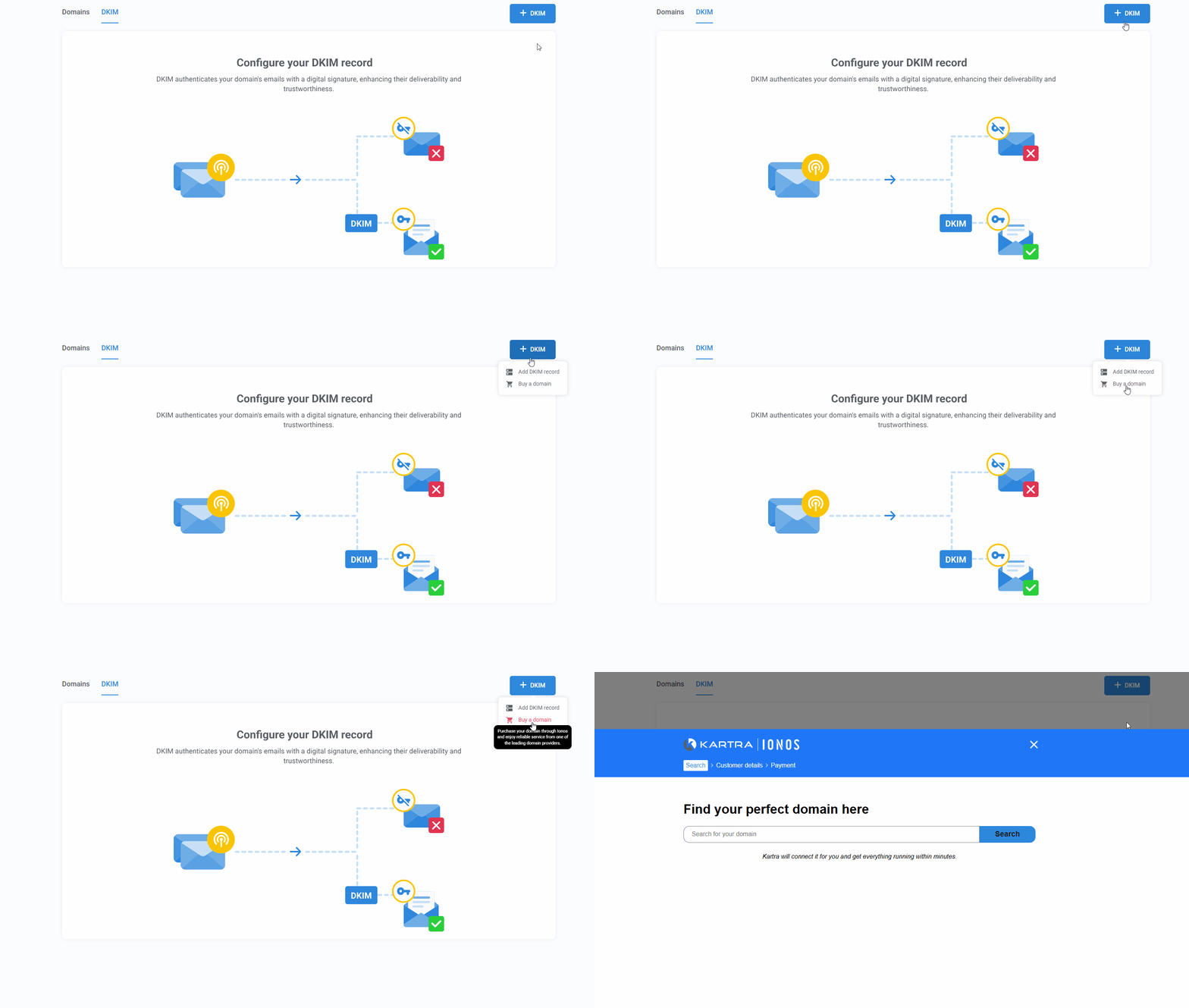
- Search for your desired domain name.
- You will be taken to the IONOS website in a new tab. IONOS is Kartra’s domain partner.
- Choose an available domain and any additional services you want to buy and complete the purchase.
Kartra will immediately begin setting up DKIM authentication for your new domain.
Once your purchase is complete:
- Your domain will appear under Settings > Domains > DKIM
- The domain status will show as Processing while the connection is created
- Most domains connect within minutes to a few hours
When the status changes to Connected, you can start sending email from that domain through KartraMail.