
Learn how affiliates get access to your products, how commission eligibility works, and the different ways you can assign affiliates to promote specific products.
Before you begin
There are two key things to understand about affiliates in Kartra:
- Affiliates who sign up through your affiliate page can automatically see all products with an active affiliate program.
- However, seeing a product is not the same as earning commissions for it.
Whether an affiliate gets paid depends on how your affiliate system is set up.
How affiliate eligibility works
In your Affiliate Settings, you can choose how affiliates are assigned to products.
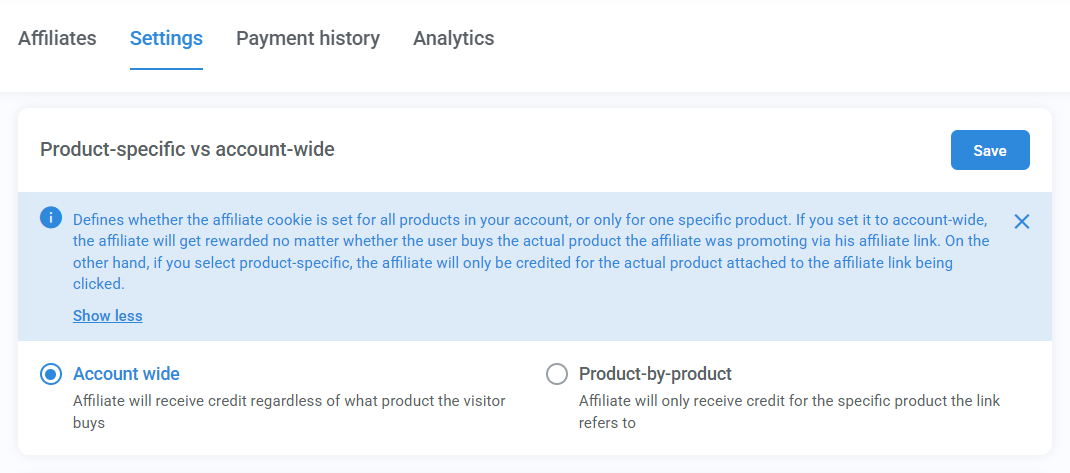
Account-wide:
- Affiliates can earn commissions on any product they promote, as long as that product has an affiliate program enabled.
- This is the simplest setup, no extra assignment needed.
Product-by-product:
- Affiliates only earn commissions for specific products they are assigned to.
- This gives you more control, but requires manual or intentional assignment.
How to add affiliates to a product
If you're using the product-by-product setting, below are the ways to assign affiliates.
Option 1: Share a product-specific signup link
- Send your affiliate the signup link for the product you want them to promote.
- Ask them to click Sign in (not Free sign up) if they already have an affiliate account.
This will connect their existing affiliate account to the new product.

Option 2: Add affiliates manually to a product
To do this:
- Edit your product and go to the Affiliate tab
- Open the Affiliate program on sale module
- Click + New commission tier
- Add the affiliate to that tier
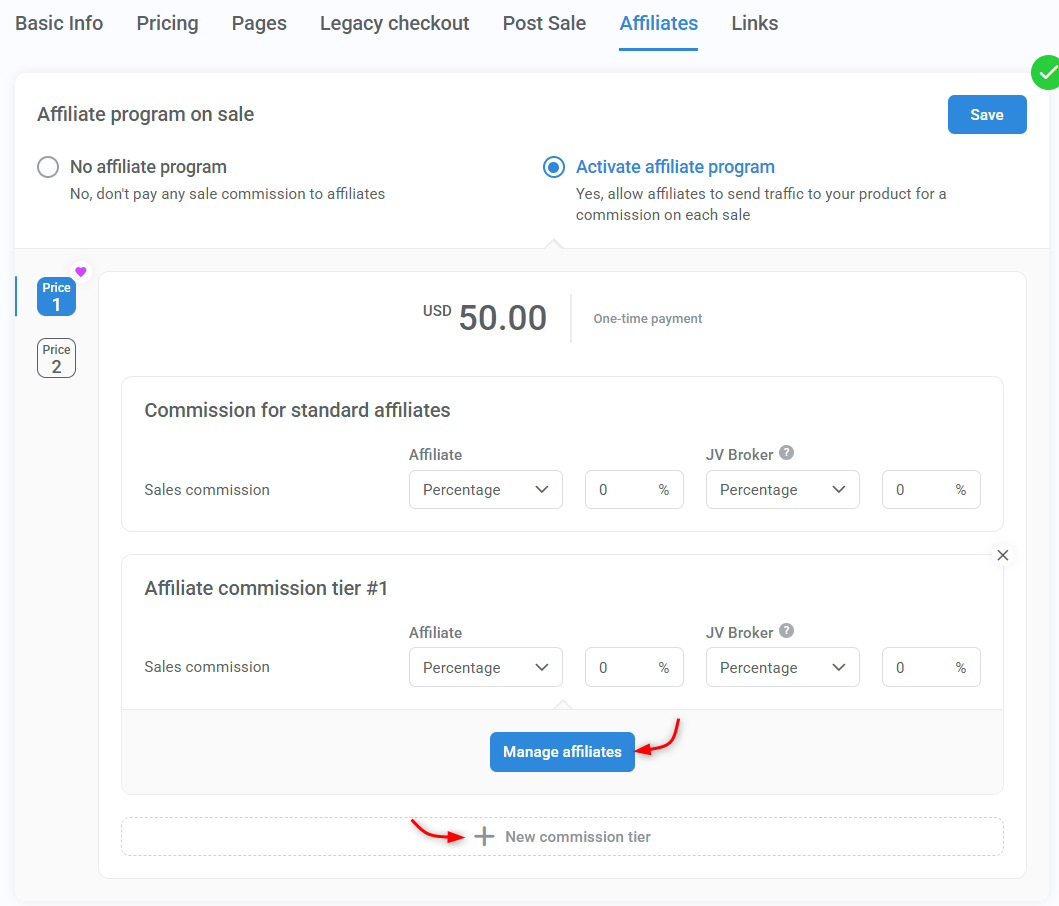
The base tier does not support adding affiliates manually. You must create a new tier (you can keep the same commission settings if needed).
Option 3: Assign an affiliate to an existing subscription
This option is best if a referral wasn’t tracked correctly (for example, due to cookies being cleared or the buyer not using the affiliate link).
If the buyer confirms a referral, you can:
- Apply the commission to a single transaction, or
- Apply it to the entire subscription
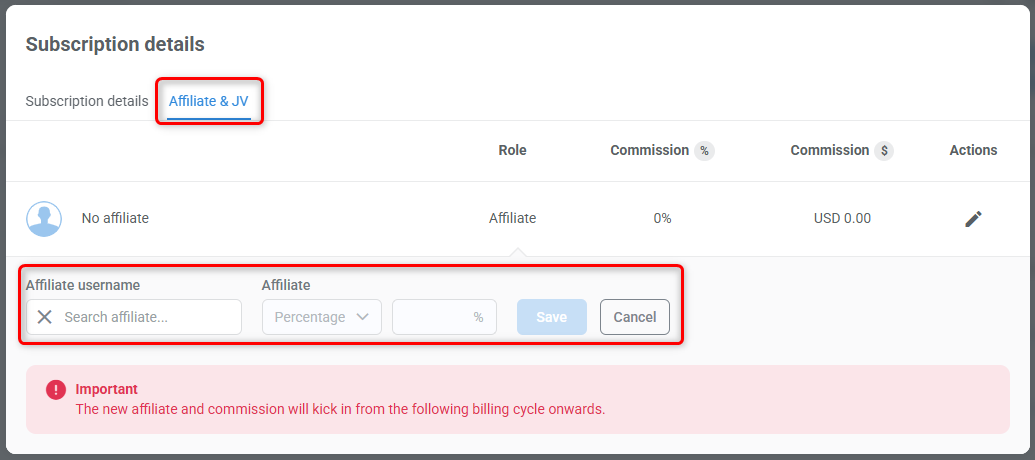
When adding an affiliate to a subscription, commission will only be calculated for future payments. Past transactions will not be retroactively calculated unless you manually add the affiliate to each of the past transactions.