
Support your customers in real time using Live Chat.
Live chat allows you and your team to connect with customers instantly, helping you answer questions, resolve issues, and improve the overall support experience.
Check your plan
Live chat is included with Kartra Professional, and Enterprise plans. Review or change your subscription in your account Billing.
Enable chat for your helpdesk
To make live chat available, you’ll need to enable it in your helpdesk settings.
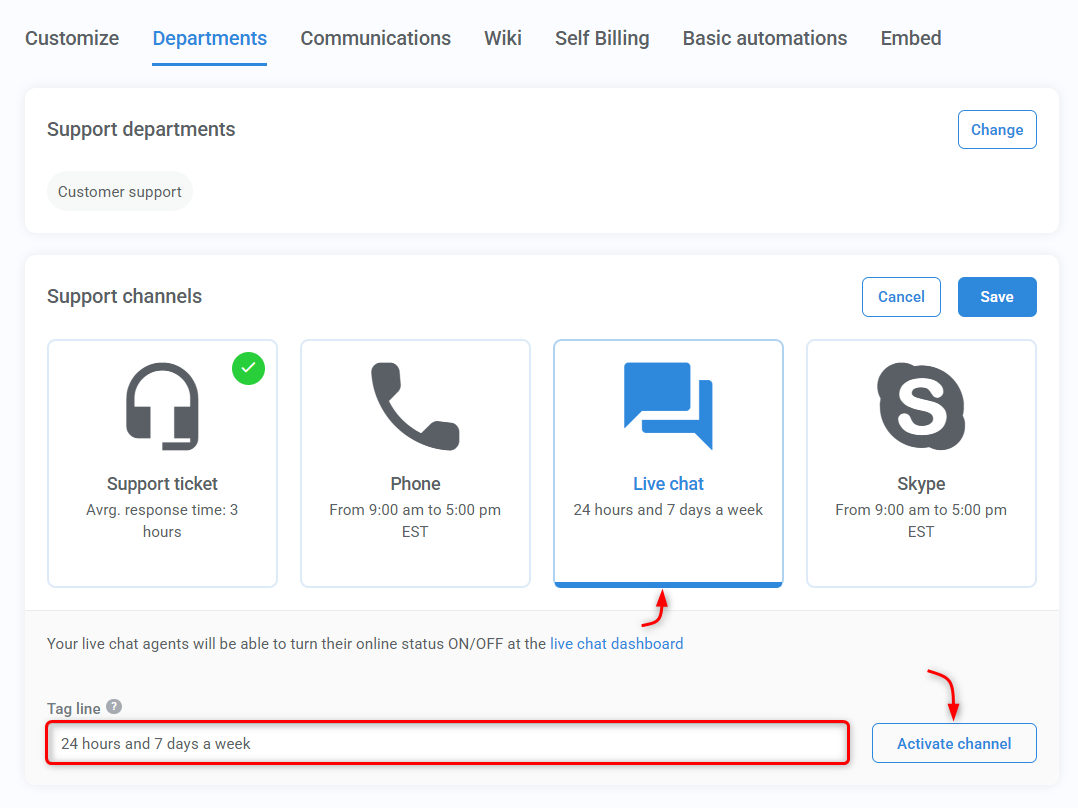
- Go to Helpdesks > All helpdesks
- In the Departmentstab:
- Edit the Support channels module
- Select Live chat
- Modify your tag line
- Click Activate channel
- Then Save
Go online for chat
Chat becomes available as soon as at least one team member is online.
To go online:
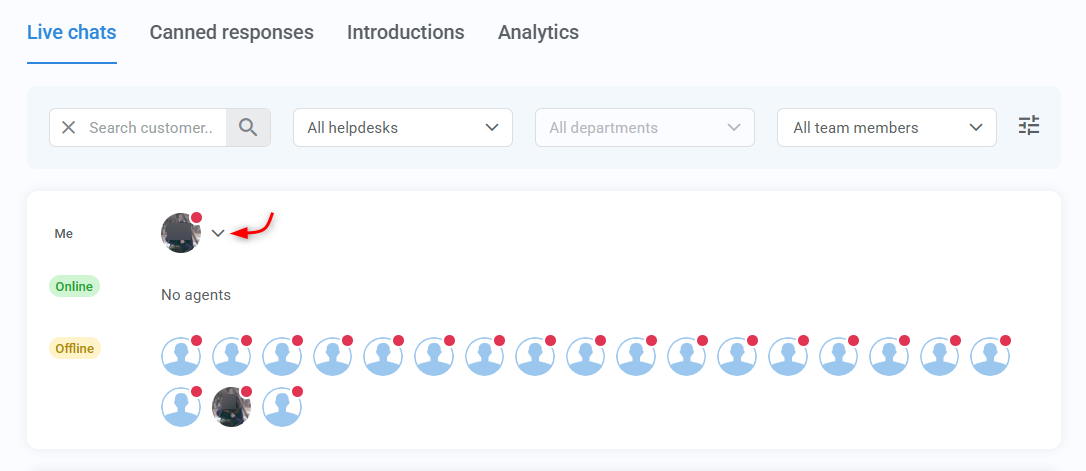
- Open the Live chat dashboard
- Click your avatar
- Select a helpdesk
- Toggle on the department(s) you’ll be available for
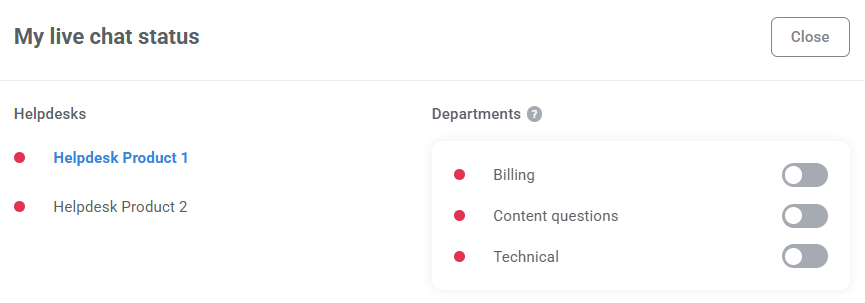
- If no agents are online, the chat will appear offline to your customers.
- If at least one agent is online means that chat is available for the helpdesk(s) and department(s) they enabled.
Manage your chats
Kartra includes a chat management panel that helps you stay organized and keep track of conversations.
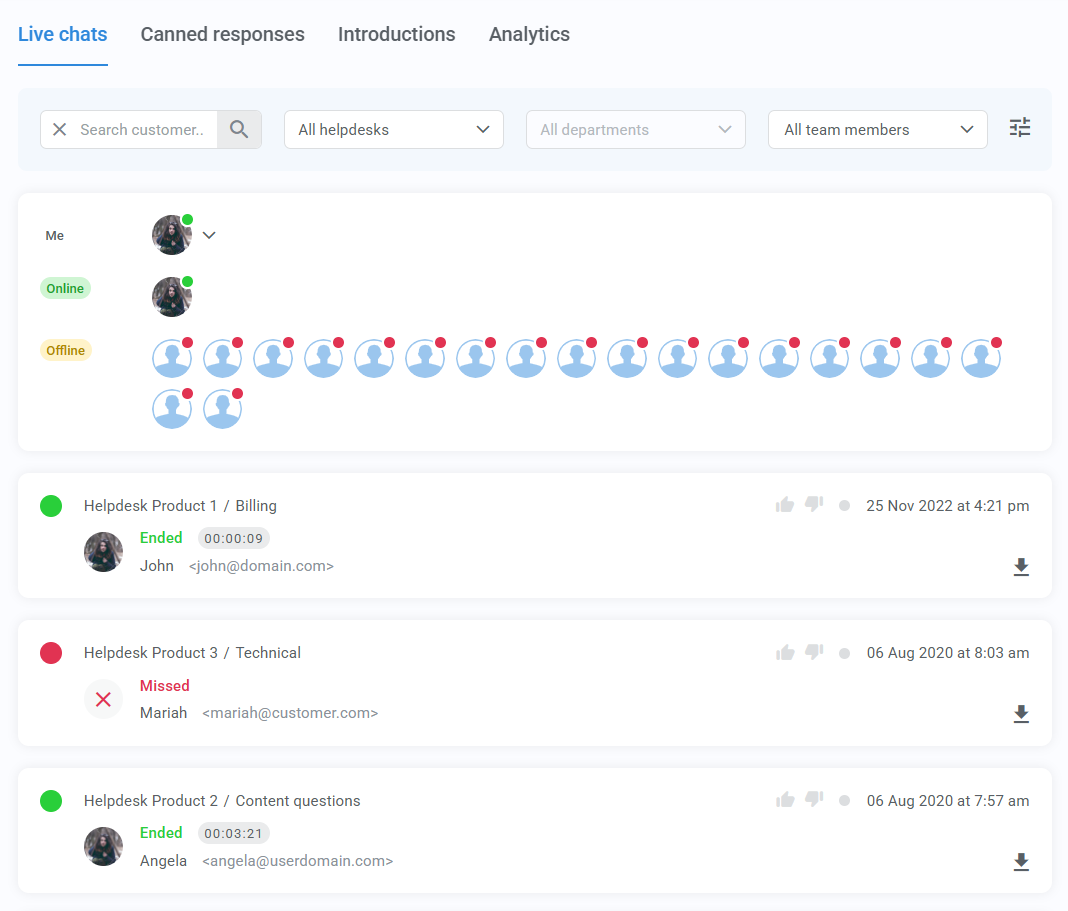
You can view:
- Active chats → conversations currently in progress
- Missed chats → when a customer reaches out and no agents are available
- Ended chats→ completed chats that can no longer be viewed inside Kartra
- Important: download the conversation if you need to keep a record
To help you find specific conversations faster, you can filter chats by:
- Customer
- Helpdesk
- Department
- Assigned agent
- Rating
Improve response speed and consistency
Kartra provides tools to help your team respond faster and maintain a consistent tone.
Canned responses
Canned responses are prewritten replies you can use during chats.
They help you:
- Save time on common questions
- Keep answers consistent across your team
- Reduce typing during busy periods
Introductions
Introductions are automatic greetings sent when an agent joins a chat.
Set up introductions for each team member to:
- Greet customers instantly
- Set expectations for the conversation