
Learn about the different ways Kartra can handle what customers receive after purchase, so you can choose the right setup based on what they should access or do next.
A Kartra Product defines:
- What you’re selling
- How much it costs and how often it should be charged
- What should happen after a successful purchase
Once payment is confirmed, Kartra can handle next steps such as:
- Granting access to content
- Sending a download link
- Allowing a customer to complete a registration
This article focuses on how customers get what they buy, so you can choose the setup that best matches your offer.
What are my options?
You can define how customers receive what they purchased during your product setup. This choice can be set up within the Accessing your product contents module of the Post sale step of the wizard.
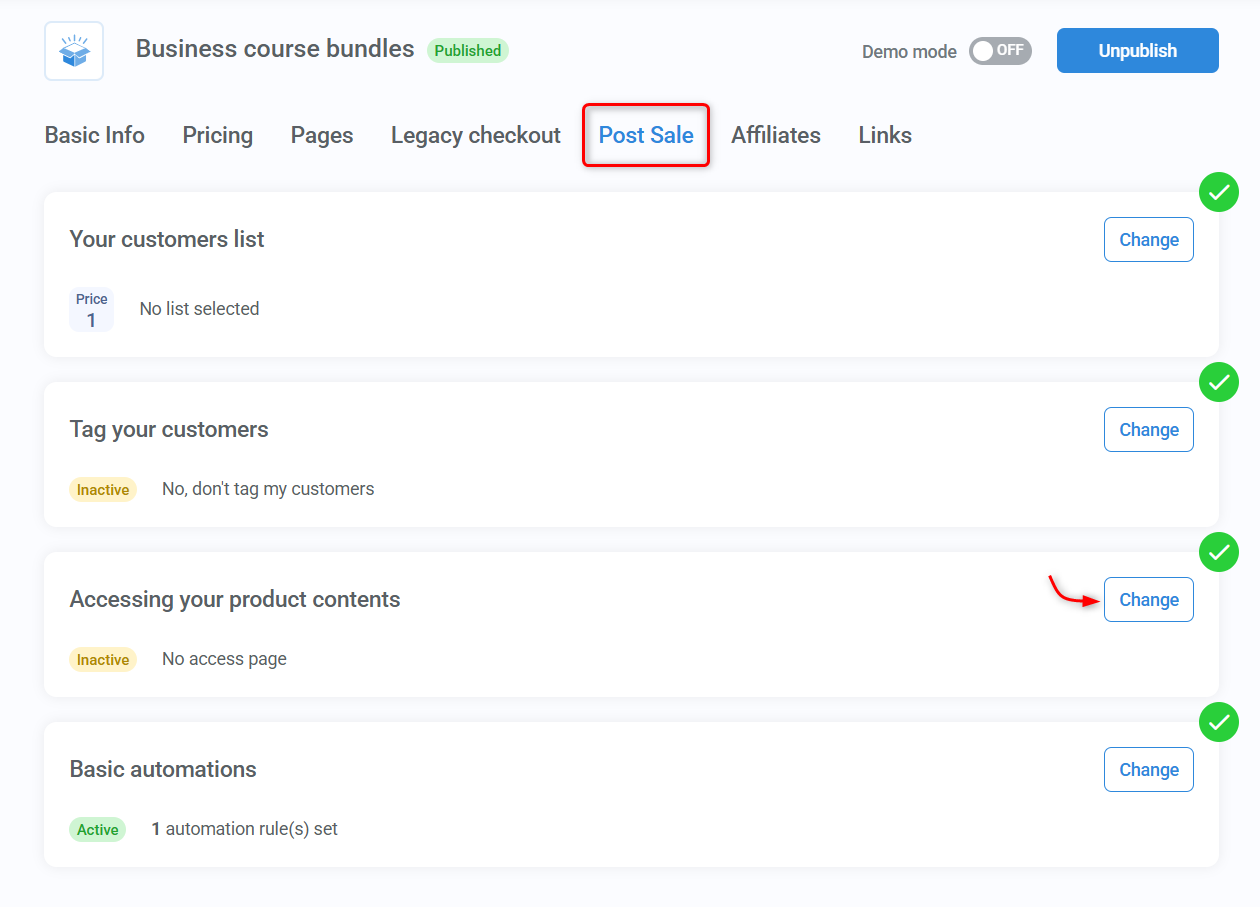
The following options are available:
- Kartra-hosted membership: Grants customers access to content hosted in a Kartra membership. Kartra automatically handles access changes and sends login details. If the product payment is a recurring subscription, cancellation revokes access automatically.
- Integrated membership: Connects your product to any supported third-party membership platform. Kartra manages the sale, while access is controlled by the connected app.
- Downloadable file: Links a file to your product so customers can download it immediately after purchase, such as a PDF, video, or ZIP file.
- No access page: Does not provide access through a membership or download link. This option is suited for physical products or services, calendar bookings, webinar registrations, or anything handled outside the Product itself.
Customers log in to access content
Best for: Online courses and training programs, membership sites with gated content, and resource hubs.
This setup allows customers to sign in and access content over time. There are two ways to do this, depending on where your content is hosted.
Kartra-hosted membership
Customers receive access to content hosted inside a Kartra Membership of your choice. If the membership is password-protected, Kartra automatically creates and sends the login details by email.
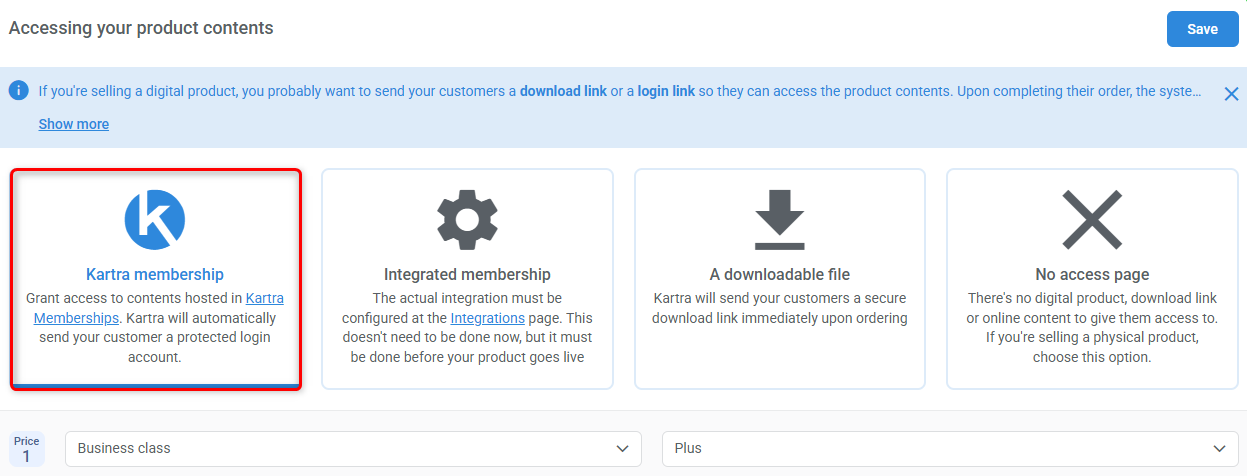
Choose this option when customers should sign in to access what they bought. Learn more about Memberships.
Integrated membership
Ideal if you already run a membership site on another platform and want to keep using it, while managing payments and automation in Kartra.
Connect your product to a third-party membership platform you already use. Kartra manages the sale, while access is granted through the connected system.
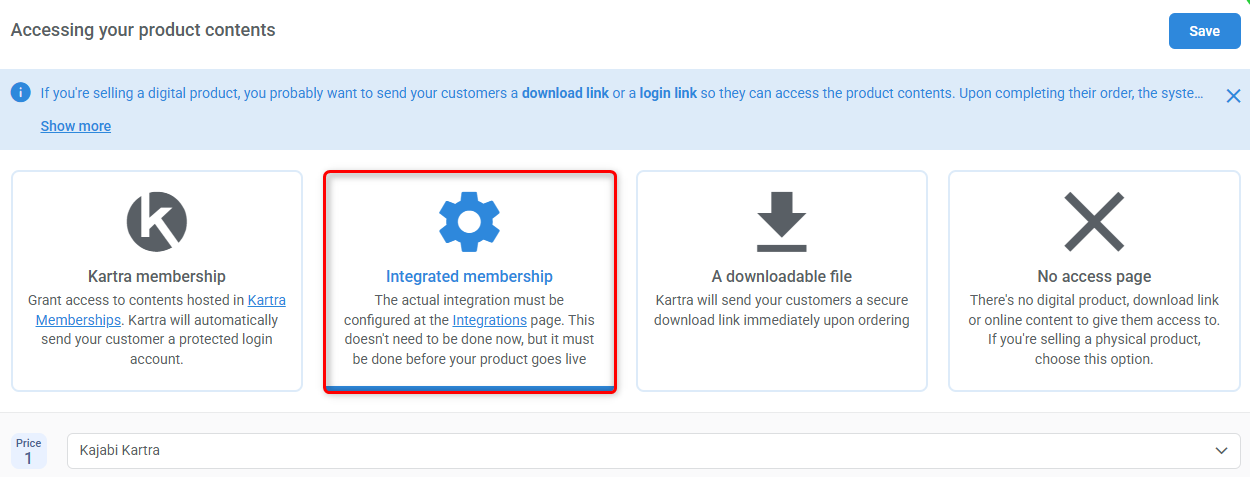
Supported integrations:
The integration must be configured before the product goes live. Kartra does not host the content in this case, it only facilitates the sale and triggers access through the connected platform.
Customers receive a file to download
Best for: PDFs, guides, worksheets, audio or video files, and ZIP bundles. The file must be hosted in your Kartra account.
Kartra sends a secure download link immediately through your Download link to buyer notification.
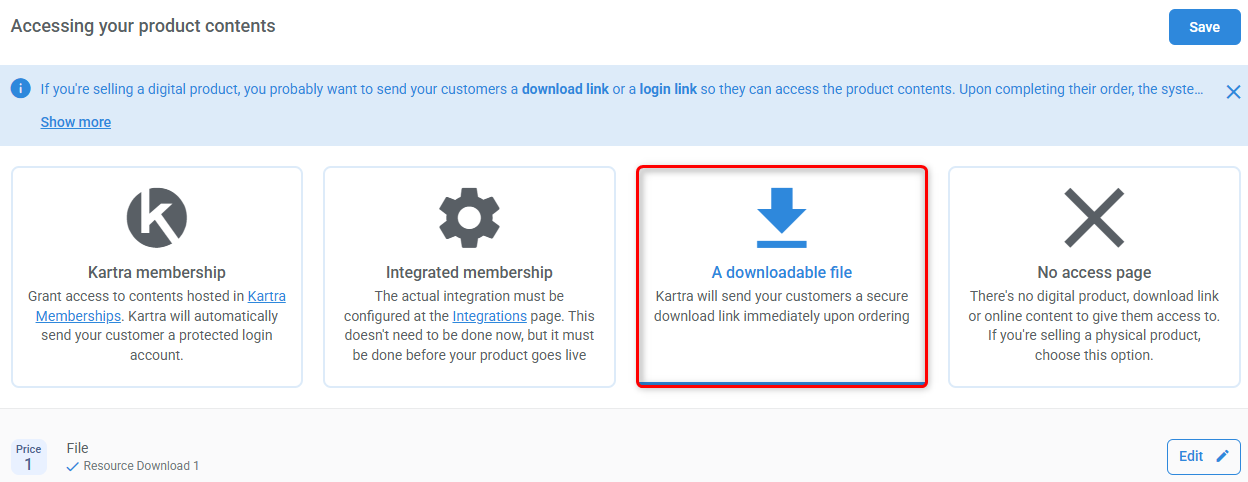
Learn more about uploading files.
When access is handled somewhere else
Best for: Physical products, coaching or consulting services, event tickets, webinar registrations, and appointment bookings.
This option is used when customers don’t receive access through one of Kartra’s built-in membership or download options. Instead, access is handled elsewhere, while the Product supports pricing.
This option is not “doing nothing” — it simply means the Product is not responsible for granting access directly.
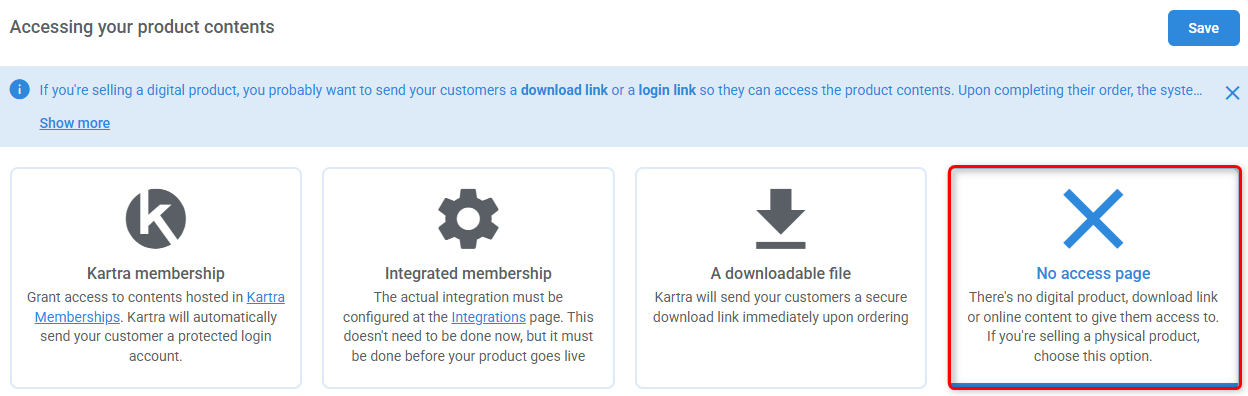
Common examples include:
- Physical products
- In-person services
- Event tickets
- Appointment bookings
- Webinar registrations.
Selling registrations for calendars or webinars
If customers need to pay in order to register for a webinar, calendar event, class, or individual session:
- Select No access page in the Product configuration.
- Link the Product to the relevant Calendar or Webinar during its setup.
In these cases, the Product supports pricing, while registration and confirmation are handled through the Calendar or Webinar configuration.
- Calendars:
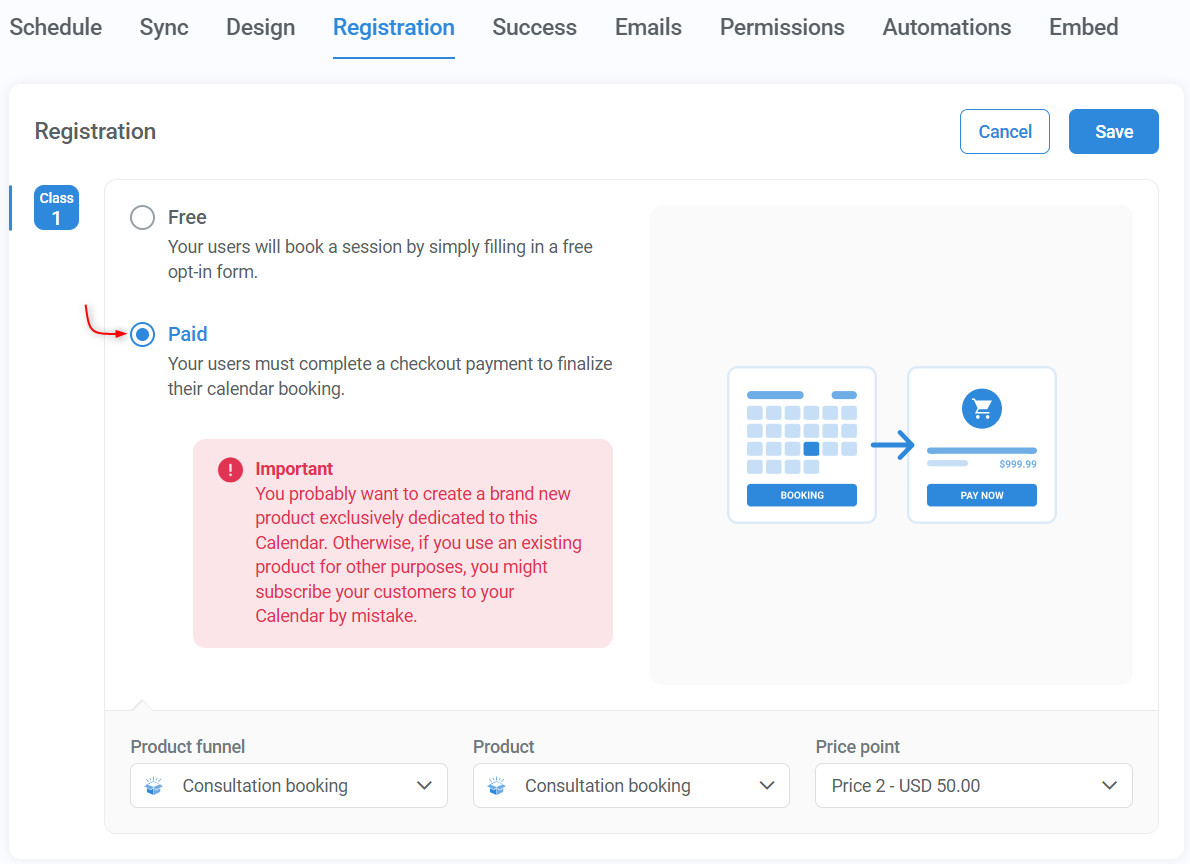
Learn more about Kartra Calendars.
- Webinars:
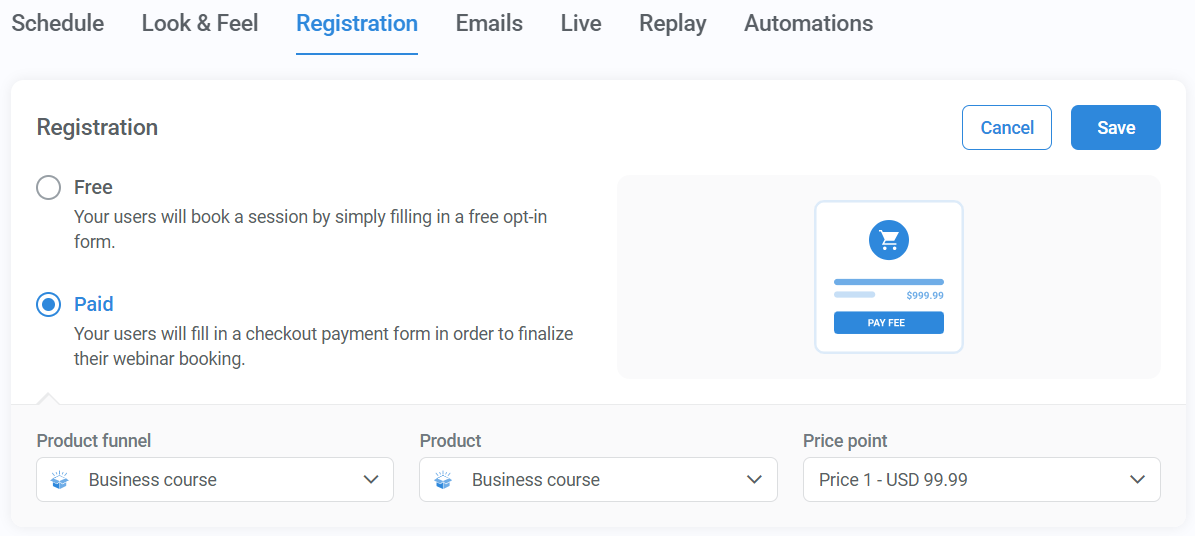
Learn more about Kartra Webinars.
Success pages
When services are delivered through an event, class, individual session, or webinar, the confirmation message or page is configured within the Calendar or Webinar setup. This setting overrides the Product’s Thank You page.