
Purchase and connect a domain through your Kartra account from IONOS.
When you buy a IONOS-hosted domain through Kartra, both your domain and email authentication (DKIM) records will be automatically configured. This is the fastest way to get a fully connected, ready-to-use domain.
Key details:
- Automatic setup: Your domain and DKIM records are configured automatically as soon as your purchase is complete.
- Hosting: Domains purchased through the Kartra interface are hosted by IONOS.
If you already own a domain with another provider, you cannot purchase it again through Kartra. This option is available only for new domain registrations.
How to buy a domain in Kartra
To get started:
- Go to Settings > Domains in your Kartra account.
- Click the + Domains button and choose Buy a domain.
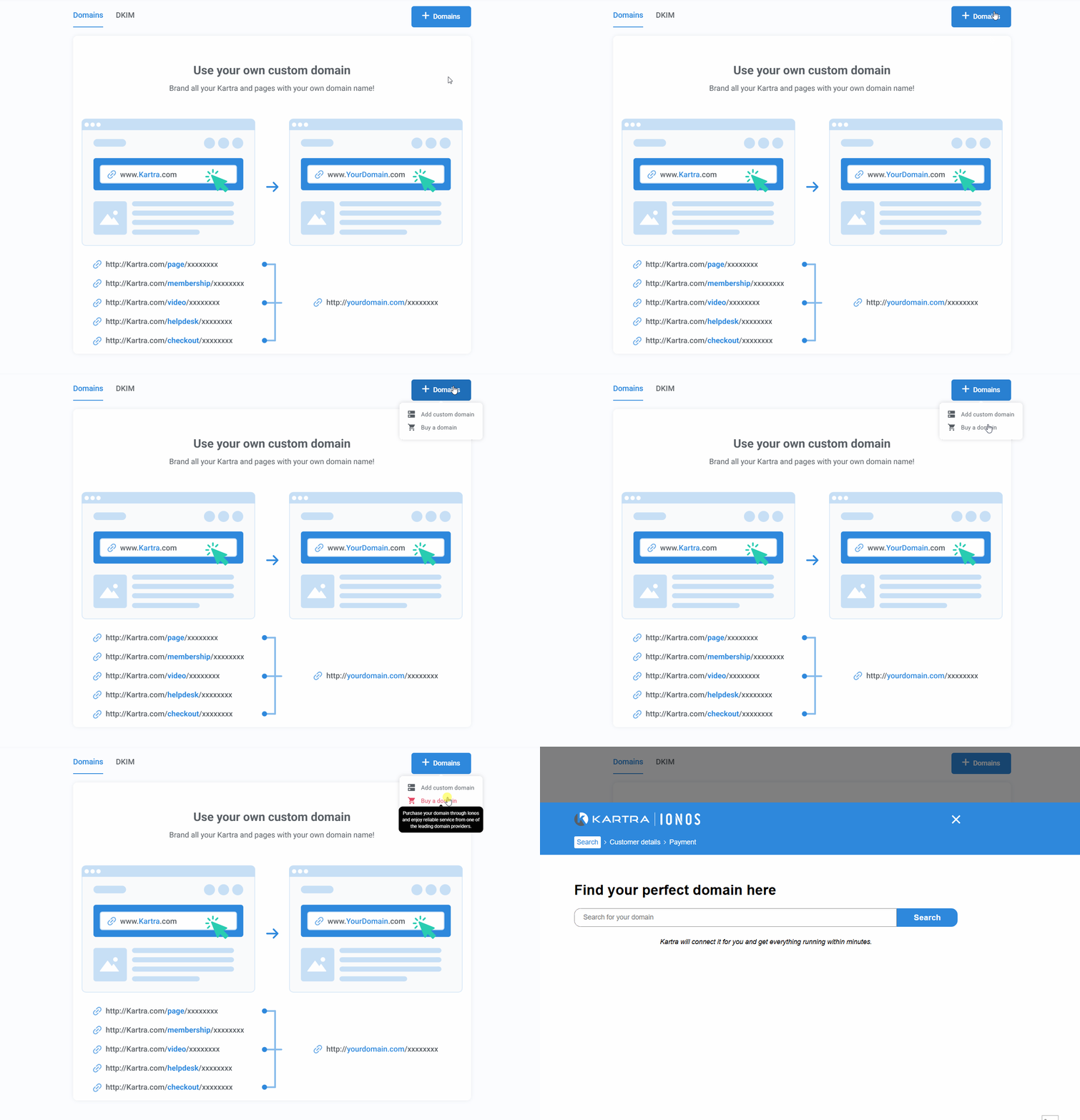
- Search for your desired domain name.
- You will be taken to the IONOS website in a new tab. IONOS is Kartra’s domain partner.
- Choose an available domain and any additional services you want to buy (such as mailbox hosting) and complete the purchase.
Kartra will immediately begin the domain configuration process.
Kartra includes outgoing email capabilities but does not provide mailbox hosting (you will not receive emails inside Kartra).
If you need an email inbox for your domain, you can purchase mailbox hosting through IONOS when buying a domain or use another provider such as Google Workspace or Microsoft 365.
Once your purchase is complete:
- Go to Settings > Domains to see your domain in Kartra
- The domain status will show as Processing while the connection is created
- Most domains connect within minutes to a few hours
- Kartra automatically issues an SSL certificate so your site loads securely (https)
When the status changes to Connected, your domain is ready to use in Kartra.
Using your new domain
After your domain is connected:
These steps ensure your pages and other Kartra content display correctly with your new branded URL.