
Each contact in your account has a status that indicates whether you can email them.
In Contacts > All contacts, the status appears as a colored bubble over their avatar.
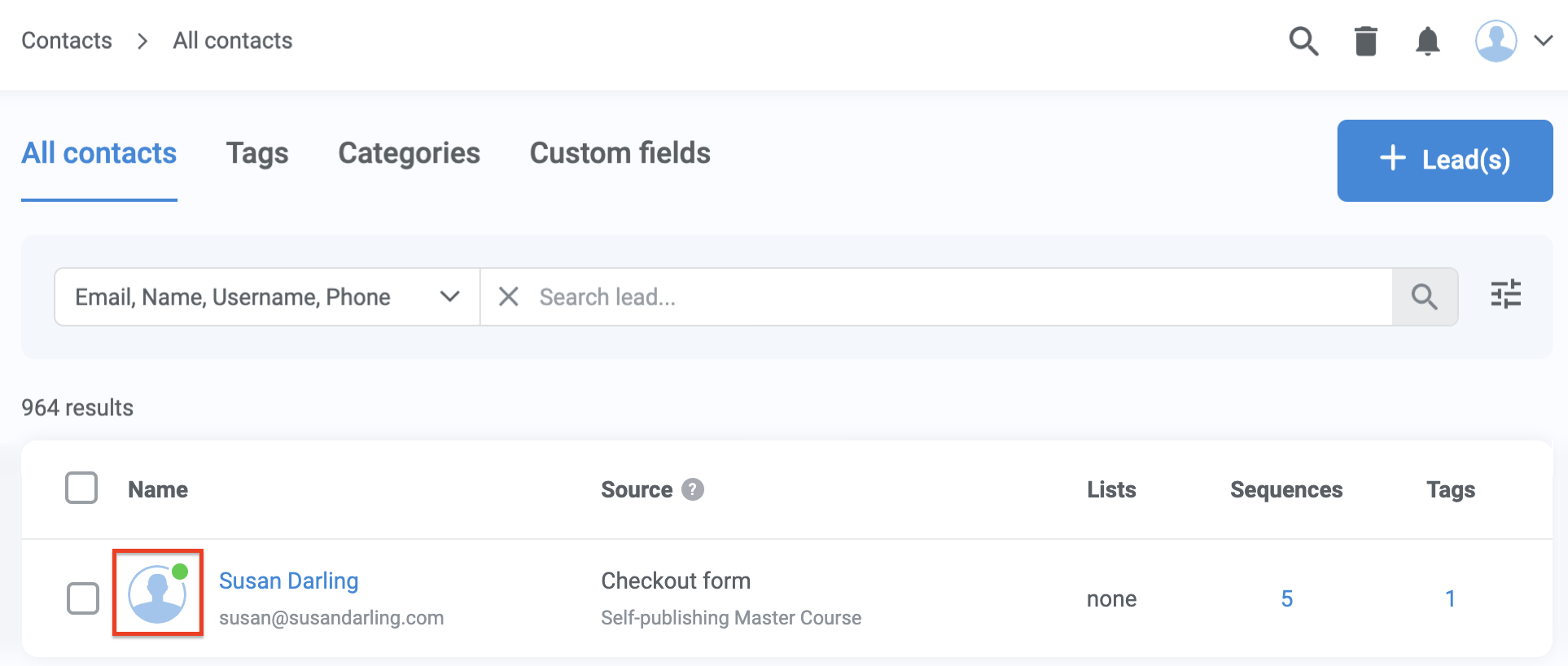
Available statuses
Hover over the colored bubble for more information about a contact's status.
- Green = Subscribed: Subscribed to at least one list or sequence.
- Gray = Not subscribed: Not subscribed to any list or sequence. This includes those who have unsubscribed, have never been subscribed, or did not consent to receive commercial messages when they opted in.
- Yellow = Declined commercial messages (GDPR): The contact did not consent to receive commercial messages when opting in.
- Orange = Multiple soft bounces: Multiple previous emails sent to the contact could not be delivered. This may happen when a mailbox is full or temporarily unavailable.
- Purple = Spam complaint: The contact marked a previous message from you as spam.
- Red = Do not contact: The contact selected “Do not contact me again” from your communication preferences or subscription management page.
- Red with exclamation mark = Blocklisted: Blocked from mailing due to delivery or verification issues, such as:
- Invalid email addresses
- Hard bounces
- Risky or suspicious addresses
- Mail server issues
Pro tips
Set up processes in your account that subscribe new contacts to a list or automated sequence automatically when they sign up to receive messages from you.
This approach lets people choose to stop getting emails later if they want, which helps you send emails only to those who want them.
- Learn more about Lists
Filter contacts by status
In Contacts > All contacts and many other areas of your account, use Advanced filters to search for contacts by their status.
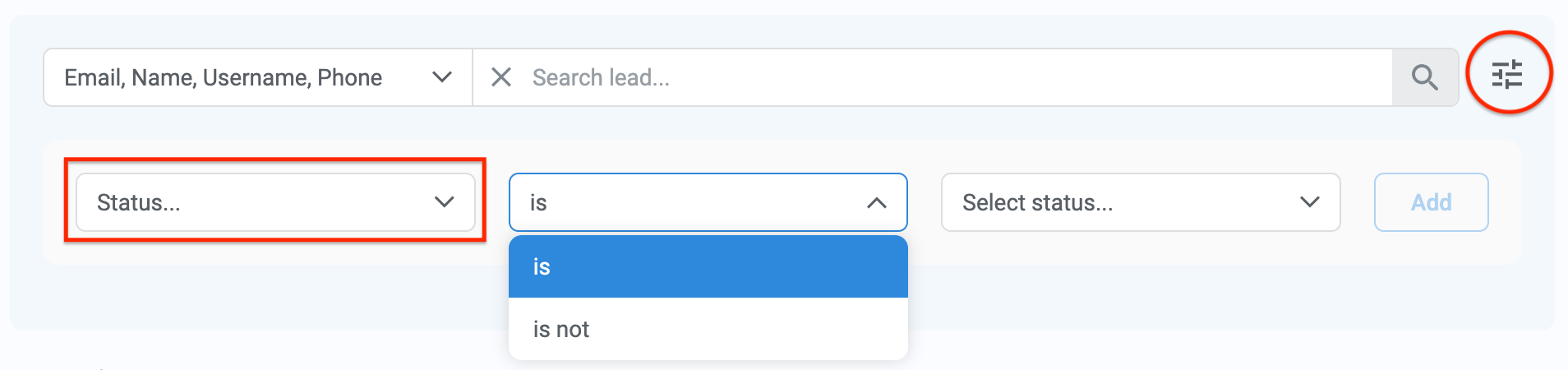
Select status IS or IS NOT to filter leads with the following statuses:
- Subscribed
- Subscribed to at least one list or sequence.
- Unsubscribed
- Not subscribed to any list or sequence. This includes those who have unsubscribed and who have never been subscribed.
- Blocklisted - Others
- Generally undeliverable. Unable to mail due to a previous hard bounce, an invalid mail server, identification as a risky address, etc.
- Blocklisted - Spam complaint
- Unable to mail because the contact marked a previous message from you as spam. You no longer have permission to mail them.
- Declined commercial messages (GDPR)
- Unable to mail because the contact did not consent to receive commercial messages when they opted in. You do not have permission to send them marketing emails.
- Do not contact
- Unable to mail because the contact selected “Do not contact me again” on the subscription management page for your communications. You no longer have permission to mail them.
- Multiple soft bounces
- Unable to mail because multiple previous emails sent to the contact's address could not be delivered. This can happen because the destination inbox is full, or similar reasons.