
Learn how to update a customer’s billing details after a purchase, so you can correct mistakes or reflect updated information on their invoice.
You can edit billing details for individual transactions directly from your account. This helps ensure invoices are accurate without needing to process refunds or create new purchases.
How to edit billing details
Go to Sales > Payments > Transactions:
- Locate the transaction you want to update
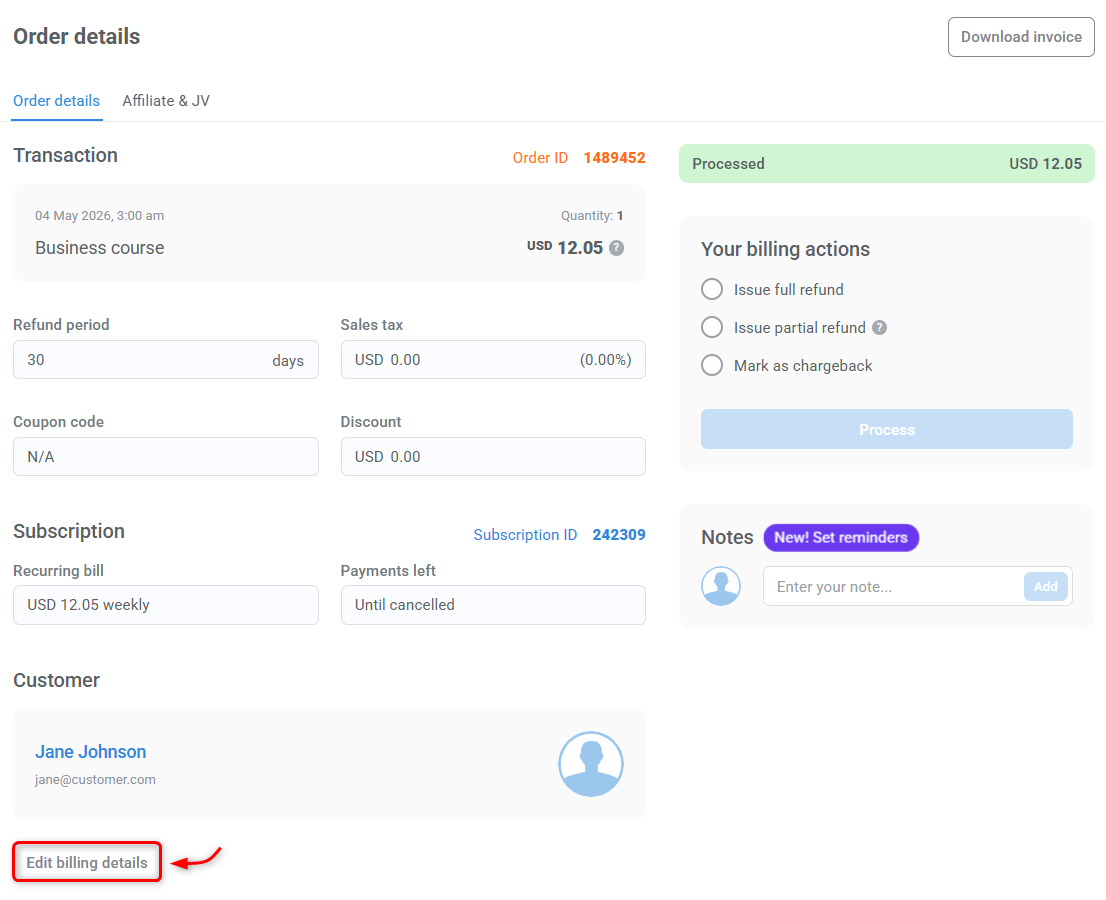
- Click the Order ID to open the order details
- Click Edit billing details
- Update the customer’s information as needed
- Click Close edit to save your changes
After saving your changes, you can download the updated invoice directly from the order details window.